Independent guide · Beginner route first
Regional School Bus Co Beginner Guide (Roblox)Your first route starts here.
Choose a bus number, learn the controls for your device, transport students, and refuel before the next drive. Then use the progression route to plan what comes after the basics.
- Beginner guide first
- No invented mechanics
- Every claim source-checked
Quick-start structure
The first-session loop
Learn this verified high-level order, then use the detailed guide for the items that still depend on live prompts.
- 01
Start at the Bus Yard
Use the Bus Yard as the dependable starting point. The old Spawn Anywhere pass is currently off sale, so do not plan around spawning anywhere.
- 02
Choose a public bus and number
Standard public buses can be driven by anyone. Pick one in the yard and set a bus number using the live interface.
- 03
Transport students
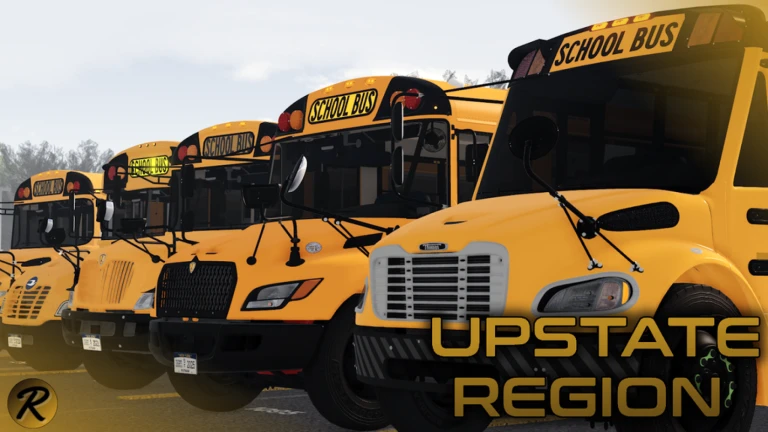
Run a student-transport route through Upstate Region. Follow the current prompts for the route, stops, and completion signal.
- 04
Watch fuel and refuel
Fuel is part of the driving loop. Use the live gauge and refuel as needed; fuel range, price, and station details are not published here.
- 05
Finish, then repeat
Finish the route, start another cycle, or join an organized route session when one is available to you.
Keep moving through the site
One answer leads to the next.
Each focused page links naturally into the next part of the learning route.
Quick start
Choose a bus number, confirm your controls, transport students, and keep enough fuel for the next leg.
Open chapter →Core loop
Connect school-bus driving, student transport, and refueling into a repeatable session.
Open chapter →Progression route
Move toward route permissions, vehicle assignments, CDL, and BD Edition without guessing requirements.
Open chapter →Verification rule
Use verified facts, not guessed controls.
Mobile, PC, Xbox, and PS5 are supported. Standard public buses do not require a CDL, while route permissions, assignments, and BD Edition belong to the later community progression path.